Keep the record after the road work is done.
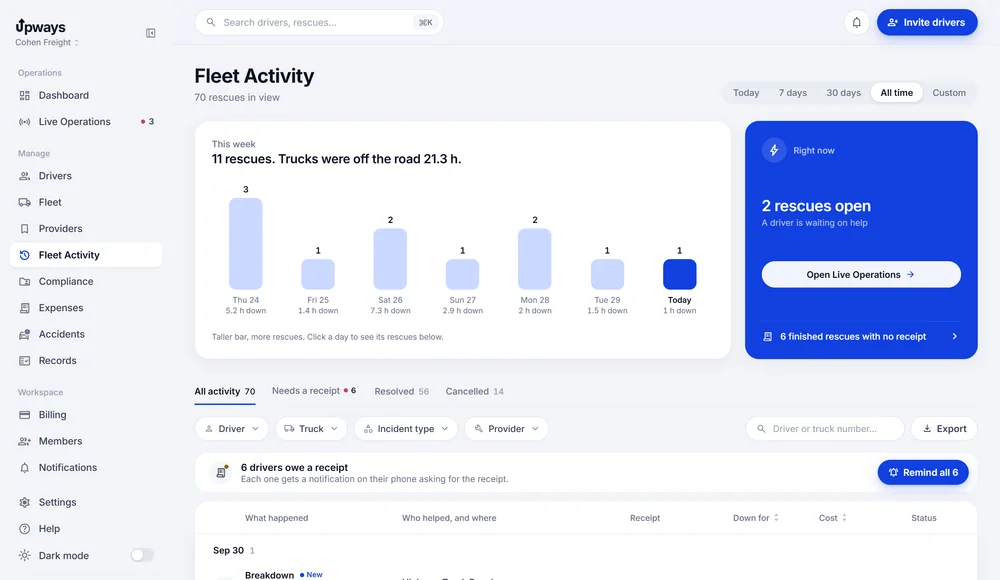
Rescue history, receipts, accident reports and document dates, in the same fleet workspace.
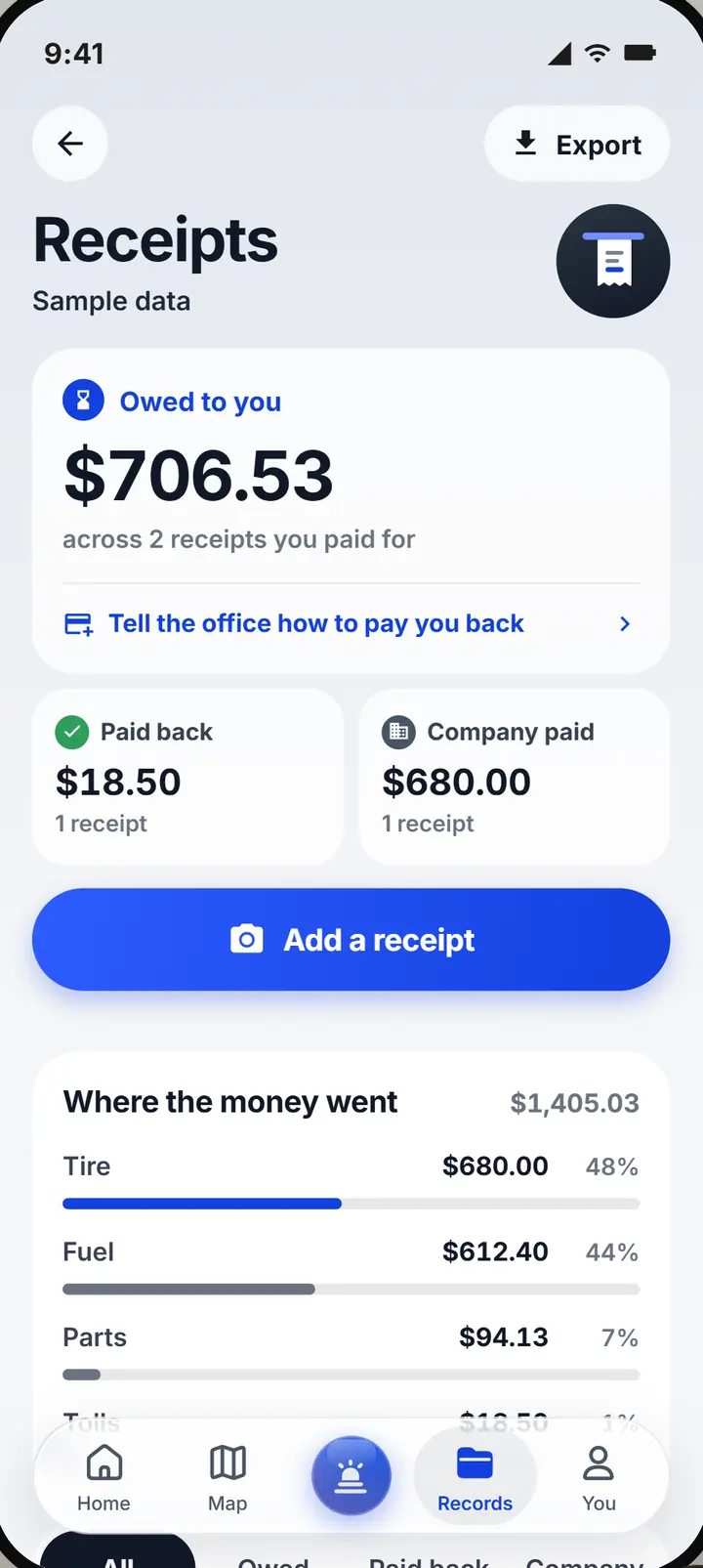
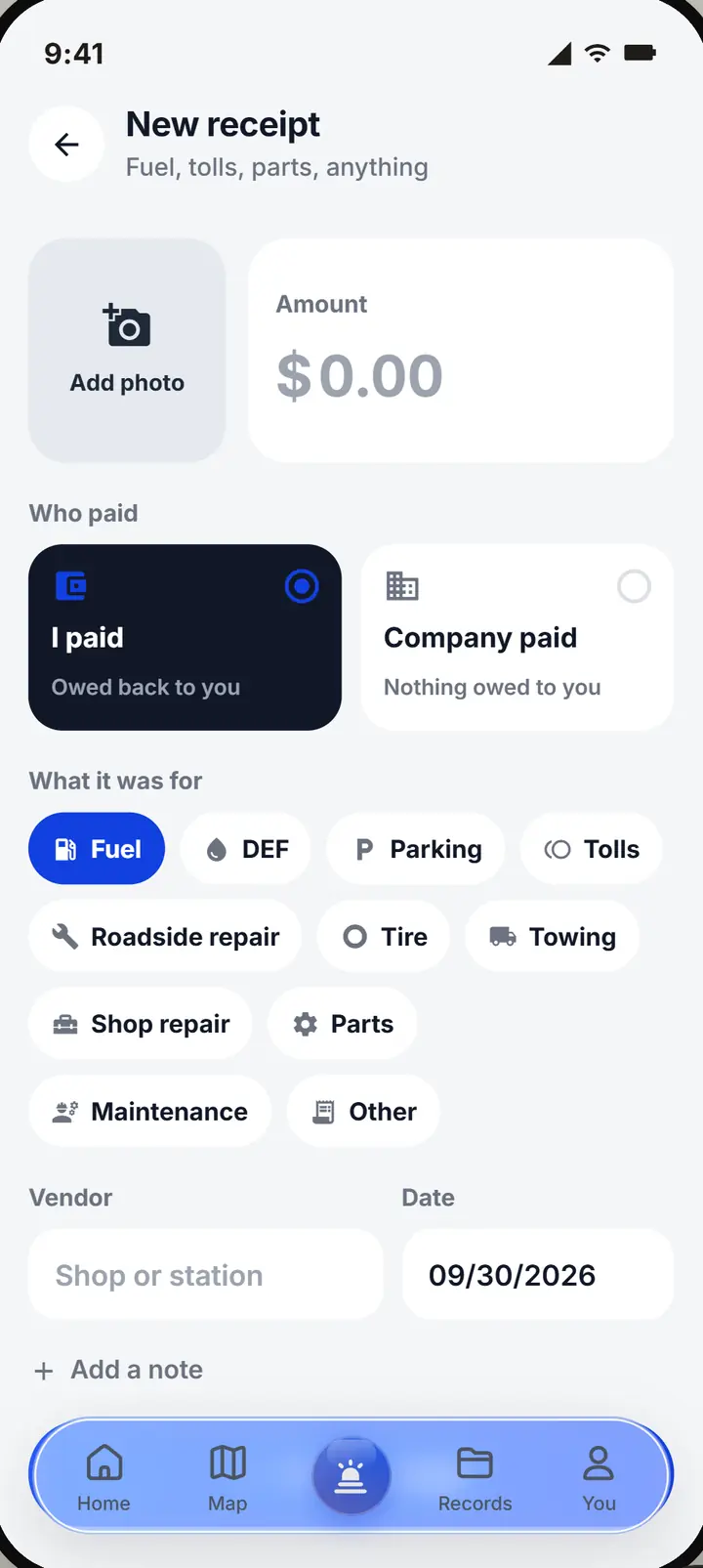
One receipt, every place it belongs.
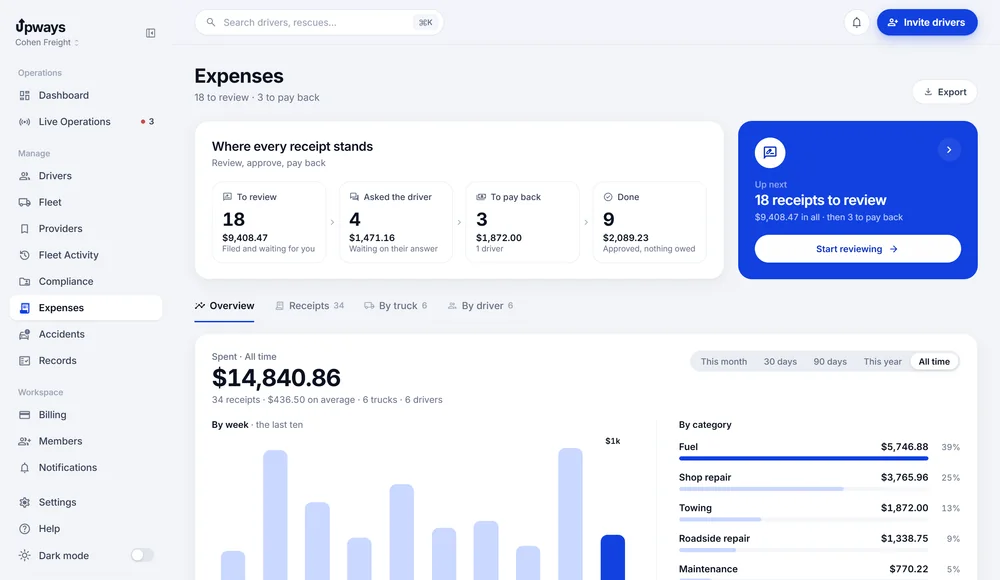
A receipt counts for the driver's history, the truck's record, the rescue it came from and the company ledger. Each one records who paid. The app records the status; the money moves the way it already does.
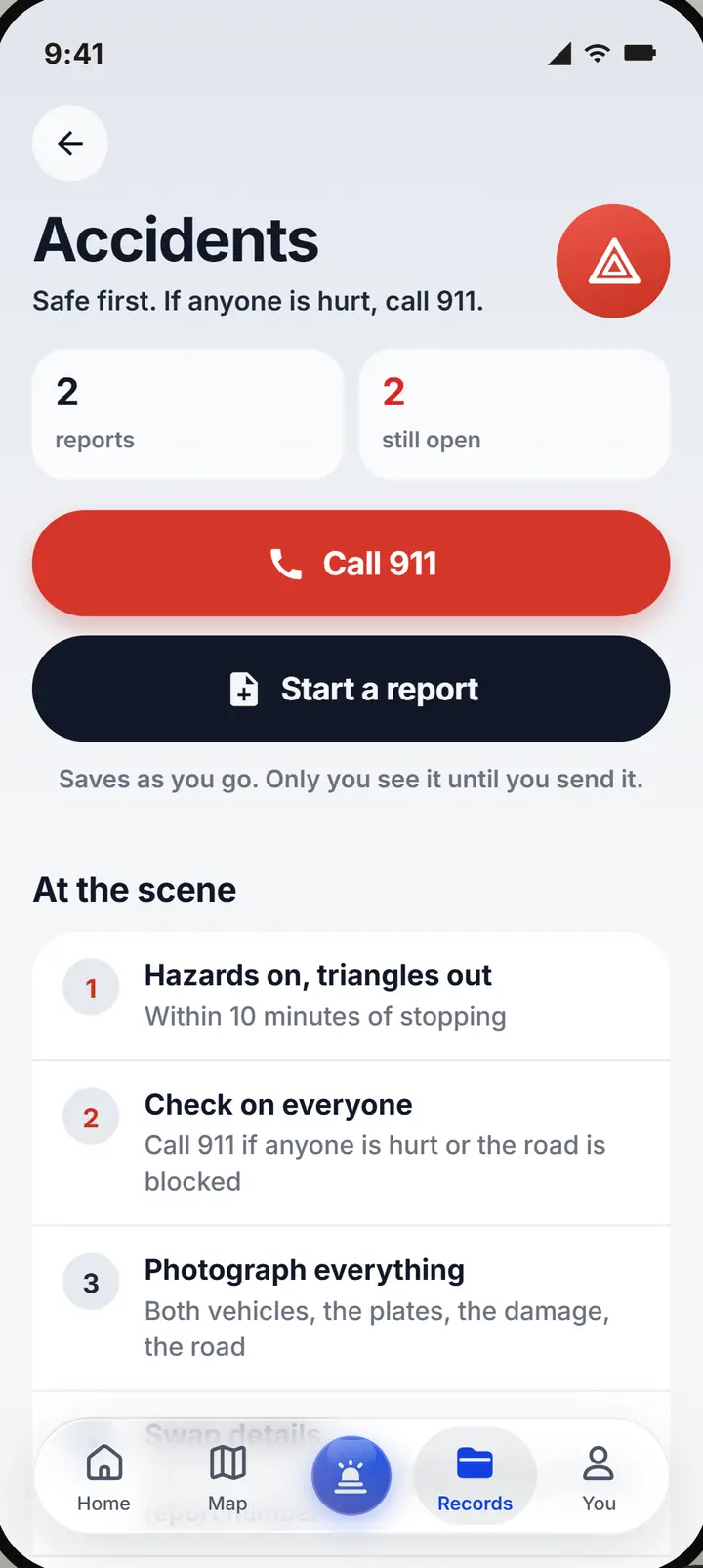
A report that grows for days.
A report starts as a draft the moment the driver begins, and can be added to for days. Nothing is deleted; follow ups are added to it.
Every date, before it runs out.
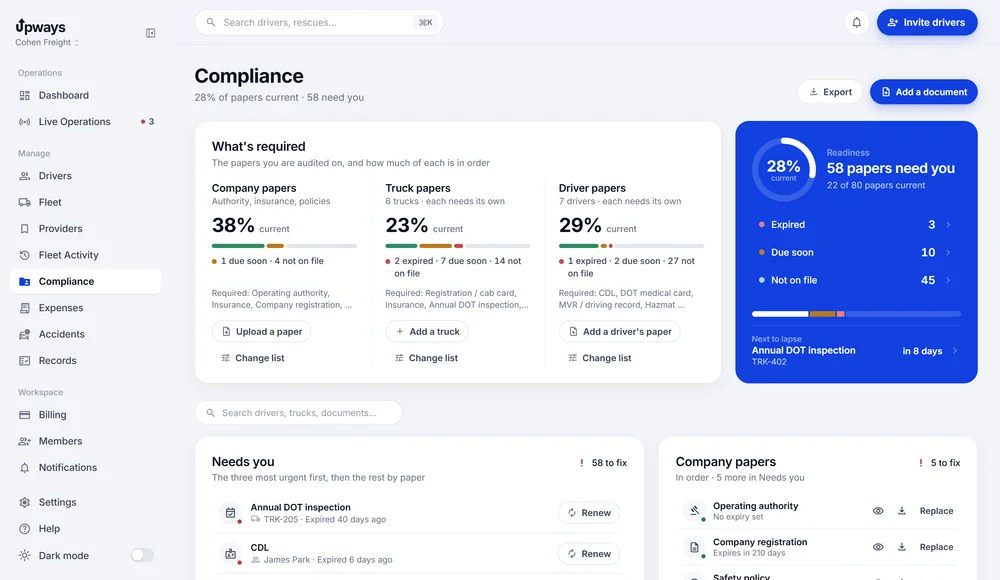
Driver, truck and company documents with their expiry dates: CDL, DOT medical card, registration, insurance, annual inspection, operating authority and more. A document that is running out raises a reminder in the inbox and by email. Tracking dates helps you stay current; it does not certify compliance.
The totals, for any stretch of time.
Rescue history keeps every finished rescue with its provider, downtime, cost and receipts, and totals spend, downtime, rescues and average response for the period you pick.
- Filter by driver, truck, rescue type, provider and status, or search
- Expenses, accident reports and the compliance list export to CSV
Who sees what?
Owners and dispatchers see the company's records. A driver sees their own rescues, receipts, documents and reports.
How is reimbursement recorded?
A driver paid receipt shows as Owed to driver until the company marks it Paid back. The app records the status; the money moves the way it already does.
What can be attached?
Photos and files for receipts, documents and accident reports, uploaded from the phone or the desk.
Can I correct a record?
Receipts and documents can be edited by the people allowed to. Accident reports keep the first account and add follow ups instead of overwriting.
Give every receipt and document a place to belong.
Set up your company, invite your drivers with a code, and the next time a truck stops you will see it first.