Broke down? Tap once. Everything else is already on file.
The app for a one-truck business. $14.99 a month, 14 days free.
- Built for onenobody to wait on but the shop
- No contractcancel whenever you like
- 14 days freewith a card on file
One app for the truck you own.
Truck-ready help near you
Car shops and quick lubes left out wherever the listing shows it. Rated, open now, close by.
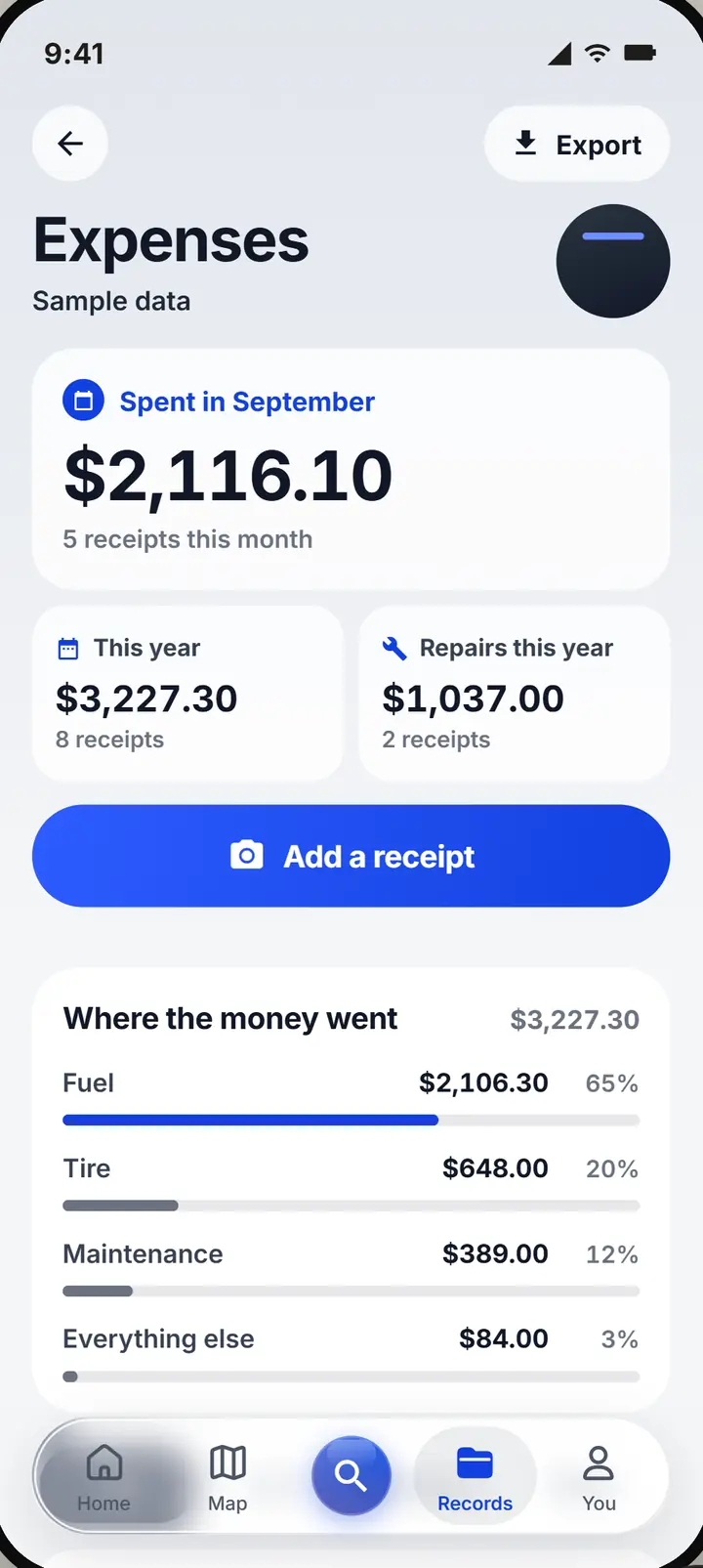
Every receipt tracked
Snap it. Amount, shop and date fill themselves in for you to check.
Every document date watched
CDL, medical card, insurance, registration, inspections. Reminders before they lapse.
One history
Every rescue, receipt, document and accident report, ready for an insurer or a broker.
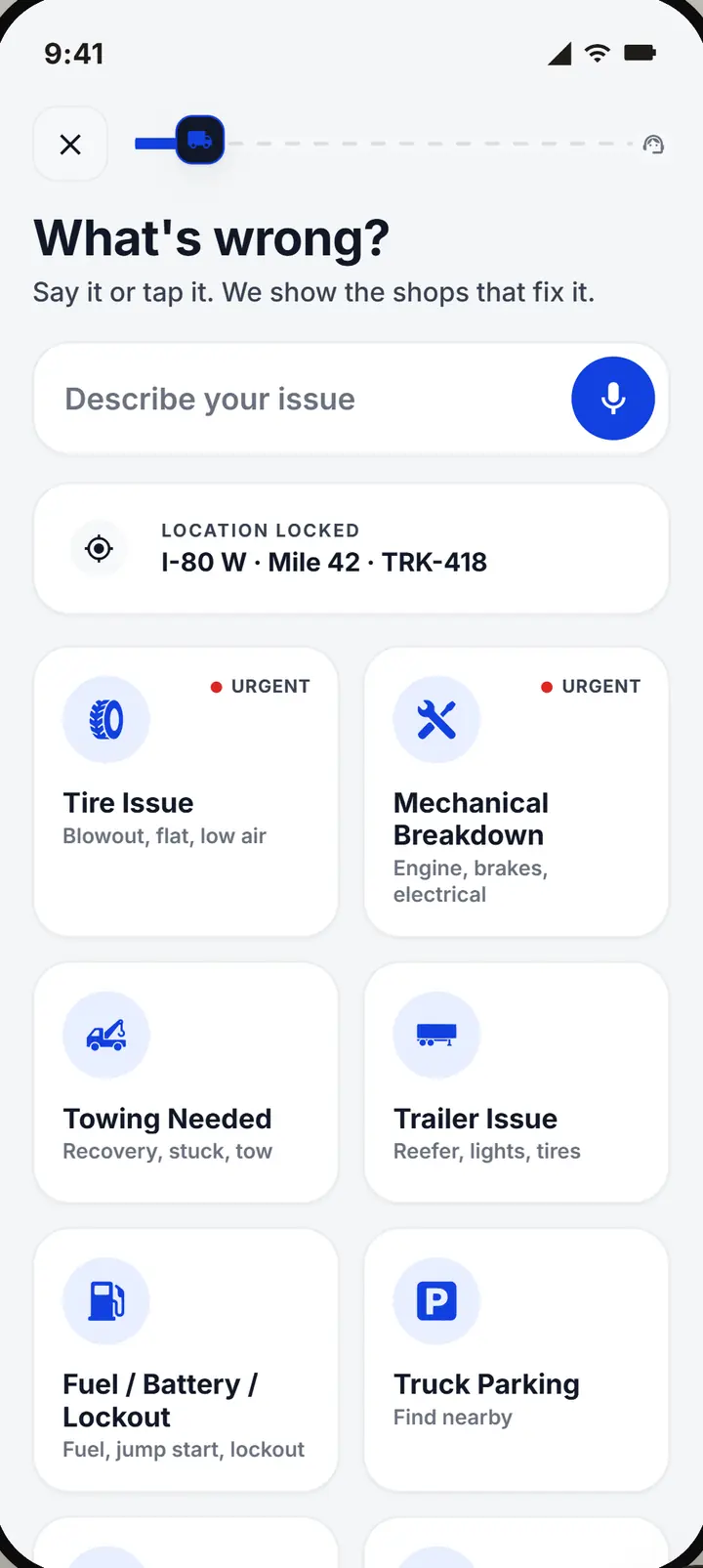
Step 1: Tap Need help
Say what broke.
Step 2: Pick a truck shop near you
Call it, then choose it.
Step 3: It all saves itself
Straight into your history.
$14.99 a month for one truck. 14 days free, cancel whenever you like.
Nobody to call but the right shop.
A breakdown when you are your own dispatcher, two ways.
The usual way
- You search your phone for a shop that works on trucks.
- You call three shops to find one that comes out.
- The shop's name and number end up on a scrap of paper.
- Receipts pile up in the cab until tax time.
- You find out a document lapsed when someone asks for it.
With Upways
- Tap Find help: truck repair, tires and tows near you, car shops left out.
- Each one says whether it comes to you, or tells you to ask.
- Book it, and your rescue keeps the shop, the number and each step.
- Snap a receipt and it is filed as your expense, ready for your accountant.
- Your documents warn you 60, 30, 14 and 7 days before they run out.
You find it, you book it, you follow it.
A breakdown with nobody to wait on but the shop.
Step 1: Tap Find help
Say what broke. The shops that can fix it show up around you.
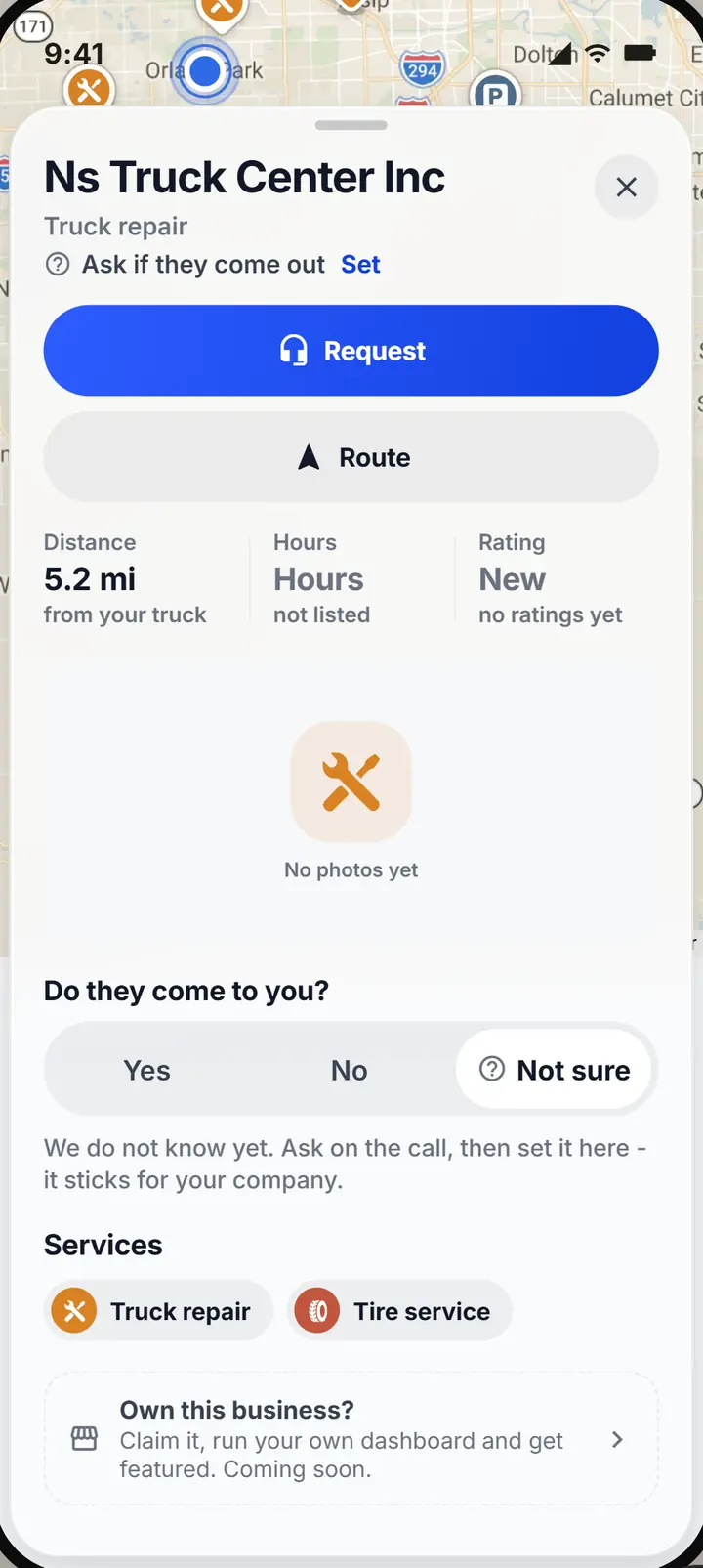
Step 2: Call and book
Agree the work on the phone, then choose it: they come to you, or you drive in.
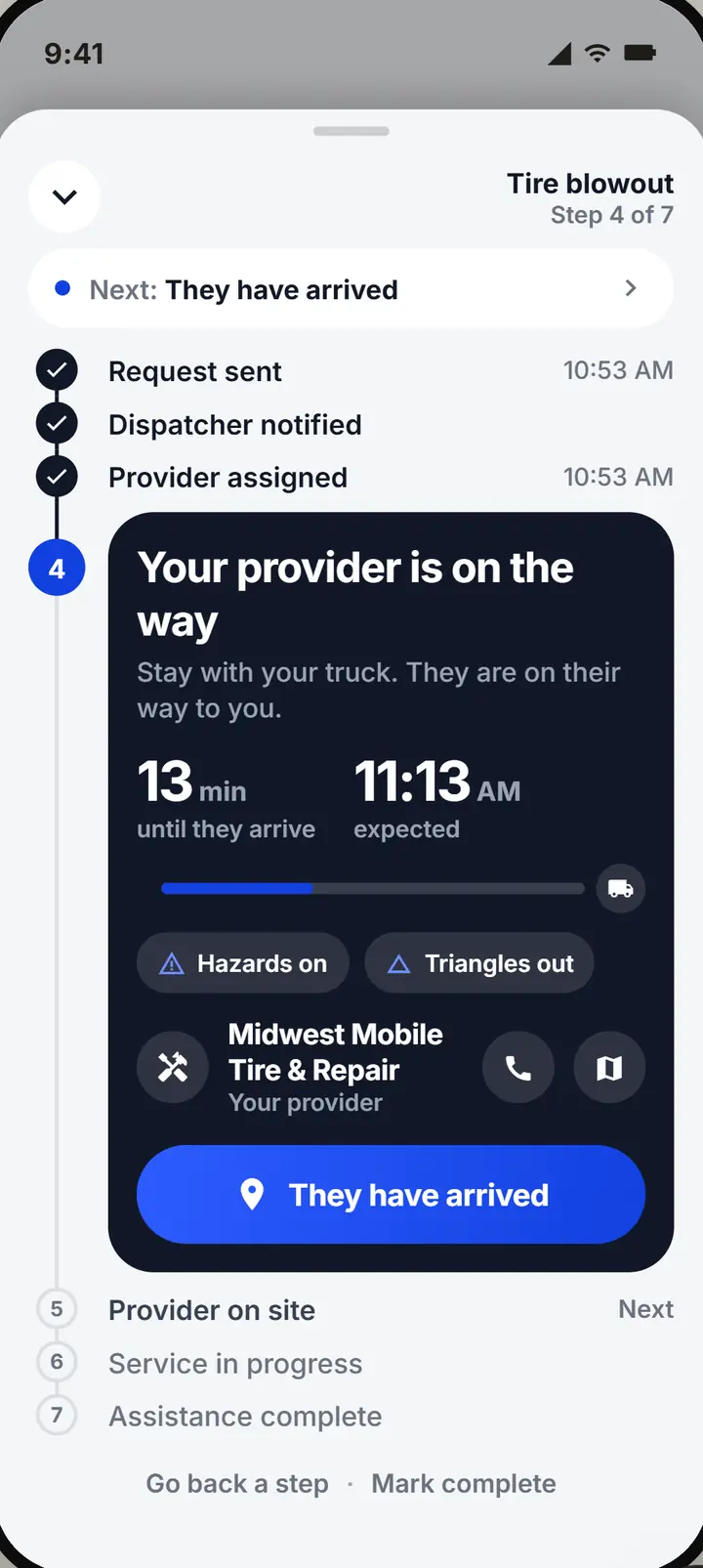
Step 3: Tap each step
On the way, arrived, fixed. It is your rescue, so you run it.
Step 4: File the receipt
Snap it, and it lands in your expenses for tax time.
The books and documents of a fleet, for one truck.
Everything is about you and your truck. Nothing mentions an office you do not have.
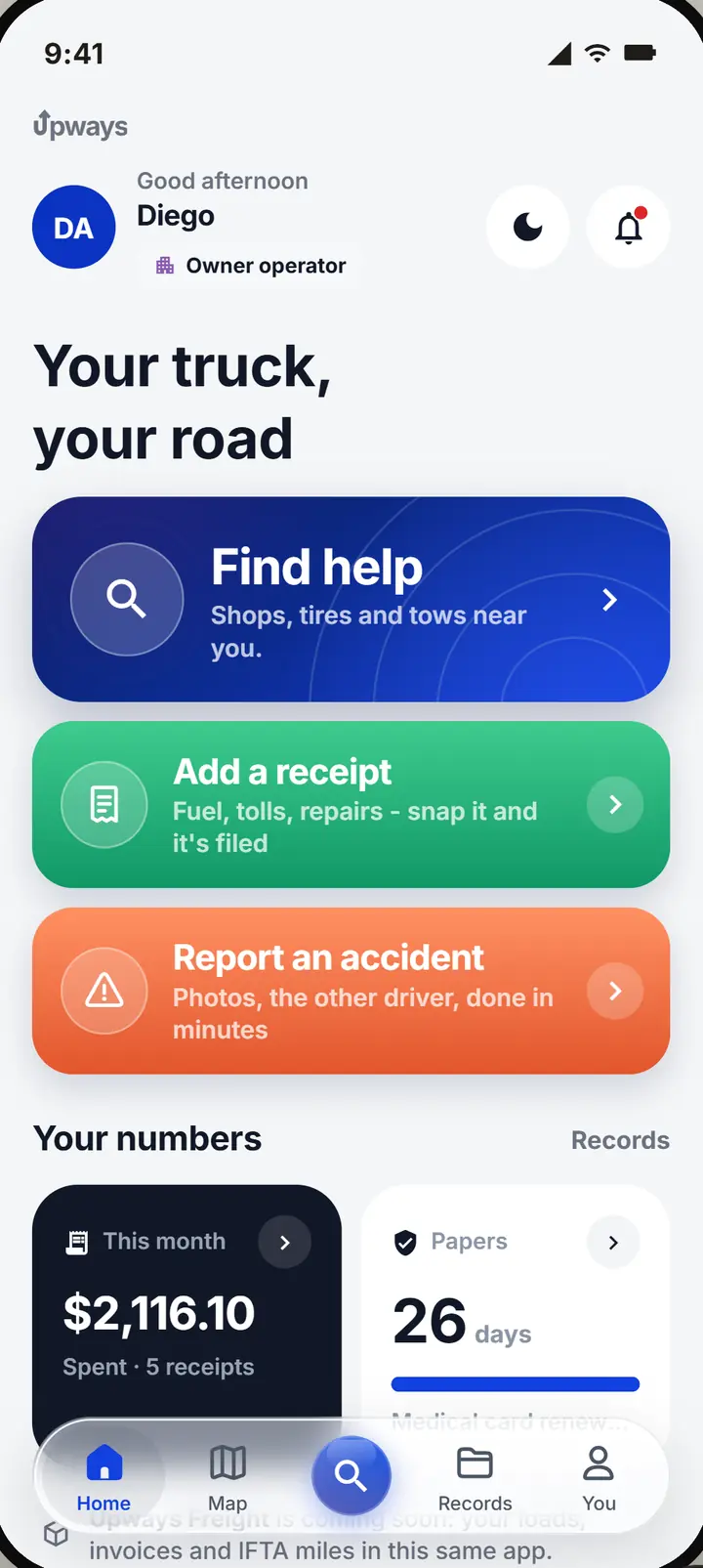
Your business at a glance.
Home says Owner operator and shows what matters to you.
- Find help first. The big button opens shops near you, not a message to an office.
- Receipt or accident, one tap. Add a receipt and Report an accident sit right under it.
- Your numbers. What you spent this month, your next document to renew and your last rescues.
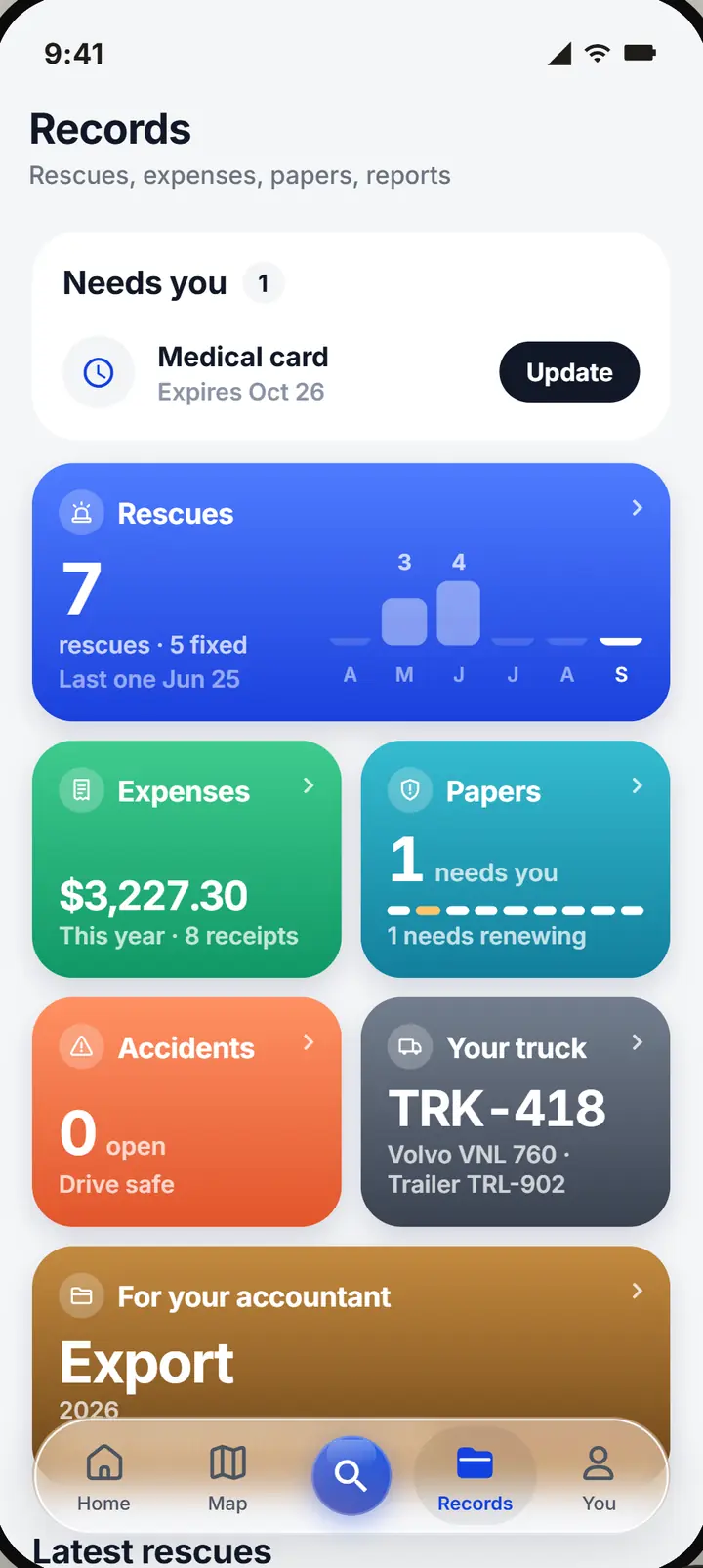
Your books, done on the road.
Photograph a receipt and the app reads the shop, the amount, the date and the type. Fuel, tolls, parts and repairs stay in one list as your own costs.
- For your accountant. Export your expenses as a spreadsheet in one tap.
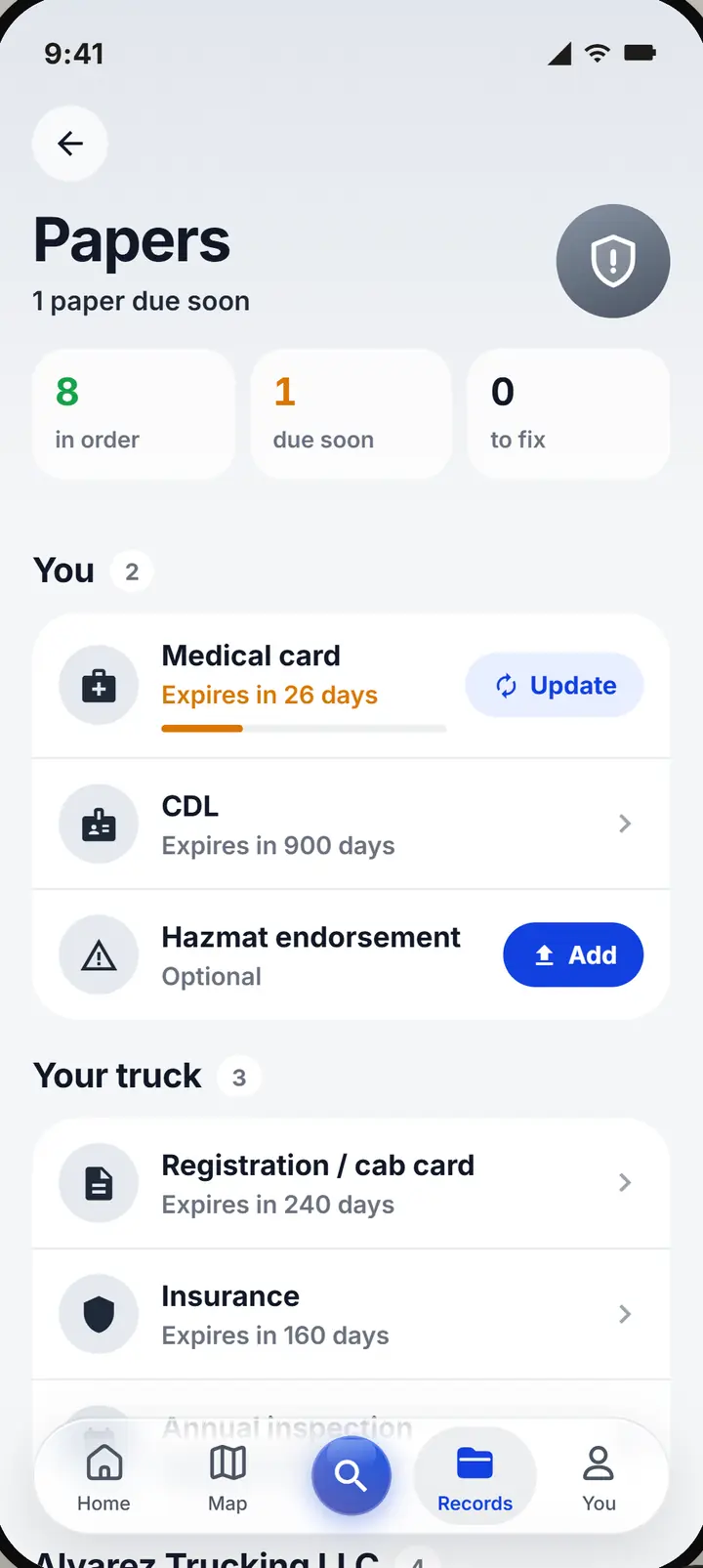
Your documents, watched before they lapse.
Your CDL and medical card, your truck's registration, insurance and inspection, and your business documents: DOT and MC, IFTA, Form 2290 and UCR.
- Reminders. 60, 30, 14 and 7 days before one runs out.
The same account becomes a company.
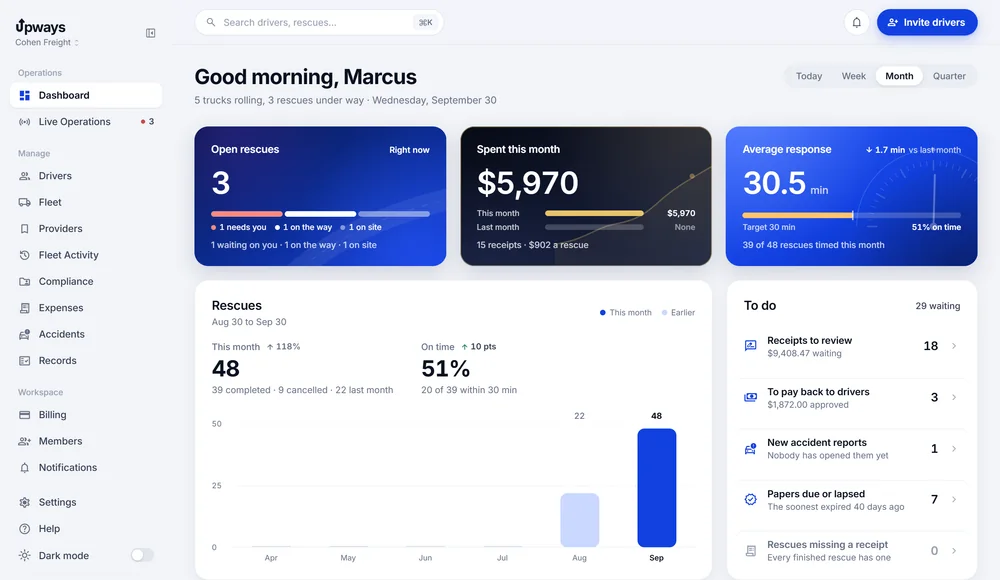
From You, add drivers or a dispatcher. Your workspace becomes a company, you get the web dashboard, and your people join with your code.
- Nothing moves. Your rescues, receipts and documents come with you.
- What it costs. Your plan moves to the fleet rate for the size of your fleet.
- Driving for someone else? Join their fleet with their code instead. Their plan covers you.
Three steps, all on your iPhone.
No website to set up and nothing to install in the cab.
Starting
- Install Upways on your iPhone
- When it asks who you are, tap Owner operator
- Add a card on Stripe: 14 days free, then $14.99 a month, cancel any time
When things change
- Hiring? Add drivers or dispatchers from You; the same account becomes a company
- Hired onto a fleet? Enter their code; their plan covers you
Good to know
- You pay the shop directly; Upways does not bill for repairs
- Directions open in Apple Maps or Google Maps, which do not route for truck height or weight
- Card details go to Stripe; we never see your card number
One truck. One price.
Everything on this page, for one truck. 14 days free with a card, cancel any time.
One truck, and an app built for one.
- Find help, the shop map and Call
- Your own rescue steps, on your lock screen
- Expenses, documents and an export for your accountant
- Everything on one iPhone, nothing in the cab
- 14 days free, cancel whenever you like
The same account becomes a company.
Add drivers or a dispatcher, and every truck pays the rate of the fleet's size. You get the web dashboard; your records stay.
- 1 to 10 trucks$14.99per truck
- 11 to 50 trucks$12.99per truck
- 51 trucks or more$9.99per truck
14 days free with a card on file. Repairs, tires and towing are paid to the shop, not to Upways.
Upways Freight, our TMS
Loads, dispatch and driver pay, in the same place as your rescues. One system for the truck and the freight on it. Everything you use today stays as it is.
It is not open yet. Want to hear the day it is?
Email us to hear first- Do I need a dispatcher?
- No. The app is built for one: you find the help, book it and follow it yourself.
- What if I hire drivers?
- Add them from You. The same account becomes a company with a web dashboard, your plan moves to the fleet rate, and your records stay where they are.
- What if a fleet hires me?
- Join their company with the code they give you, from the You page. Their plan covers you from then on.
- Does it route for truck height and weight?
- No. Directions open in Apple Maps or Google Maps, which do not route for truck restrictions. Choose your route the way you do today.
- Who pays the shop?
- You do, directly. Upways records the cost with the rescue; it does not bill for repairs, tires or towing.
- Can I cancel?
- Yes, any time. The first 14 days are free, and you can cancel before the trial ends without being charged.
Start your 14 free days.
Install Upways on your iPhone, tap Owner operator, and the next breakdown is one tap from help.